Open Networks, Open Doors: The Real Risks Lurking on Public Wi-Fi
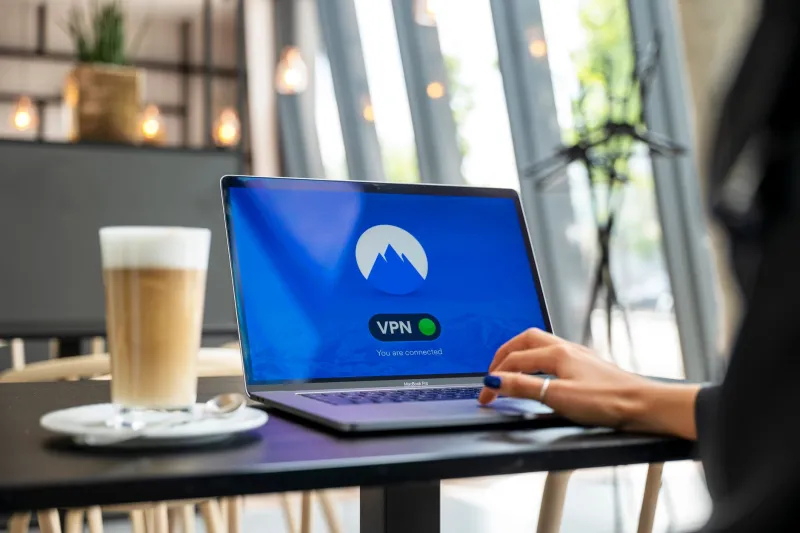
Every day, tens of millions of Americans connect to public Wi-Fi networks in airports, hotel lobbies, hospital waiting rooms, and chain coffee shops without a second thought. The convenience is real. So is the exposure.
Public wireless networks occupy a peculiar place in the popular understanding of cybersecurity: widely known to be risky in the abstract, yet routinely used without precaution in practice. That gap between awareness and behavior is precisely what makes these networks attractive to attackers. The threats are not theoretical. They are documented, reproducible, and in many cases require no specialized hardware to execute.
What "Public Wi-Fi" Actually Means
To understand the risk, it helps to understand the architecture. A conventional public Wi-Fi network — the kind offered free of charge at a Starbucks or a Delta terminal — typically operates as an open or minimally secured access point. Traffic flowing between a connected device and the router travels over radio frequencies that any nearby device with a wireless adapter can receive.
On a home network protected by WPA2 or WPA3 encryption, this radio traffic is scrambled in a way that makes interception impractical for most attackers. On an open public network, it is not. The data leaves your device in a form that any sufficiently motivated party within radio range can capture.
This is the foundation of what security professionals call packet sniffing: the passive interception of network traffic using software tools — many of them freely available and legal to possess — that capture and log the raw data flowing across the network. Wireshark, one of the most widely used network analysis tools in both security research and malicious practice, can be downloaded in minutes and operated with modest technical knowledge.
What Can Actually Be Captured
The practical answer to "what can a sniffer see?" depends heavily on whether the individual applications and websites a user is communicating with employ their own encryption layer.
The widespread adoption of HTTPS — the encrypted version of the standard web protocol — has meaningfully reduced what a passive eavesdropper can read in transit. When a user connects to a site over HTTPS, the content of the communication is encrypted end-to-end between the browser and the server. A packet sniffer positioned on the same Wi-Fi network can confirm that communication is occurring and identify the destination domain, but cannot read the content of the exchange.
However, HTTPS is not a universal solution, for several reasons.
First, not all applications use it. Legacy systems, some mobile applications, and certain Internet of Things devices continue to transmit data over unencrypted channels. A fitness app syncing health data, a smart TV checking for updates, or an older email client configured to use unencrypted POP3 may expose plaintext credentials and content to anyone on the same network.
Second, HTTPS protects content, not metadata. The websites you visit, the timing and volume of your traffic, and the services your device connects to are all visible even when the content of those connections is encrypted. In certain contexts, this metadata is itself sensitive.
Third, HTTPS can be undermined. Techniques like SSL stripping — in which an attacker positioned between the user and the internet intercepts a connection before it is upgraded to HTTPS, maintaining a plaintext session with the user while communicating securely with the destination server — can expose traffic that the user believes to be protected. Modern browser security features like HTTP Strict Transport Security (HSTS) reduce but do not eliminate this risk.
The Rogue Hotspot Problem
Passive sniffing is only one threat vector. A more targeted attack involves the creation of a rogue access point: a wireless network configured by an attacker to impersonate a legitimate one.
The mechanics are straightforward. An attacker with a laptop and a wireless adapter capable of broadcasting a signal creates a network with an SSID — the network name — identical to a legitimate nearby network. "AirportFreeWiFi," "HotelGuest," "Starbucks," or "xfinitywifi" are all names that have appeared in documented rogue hotspot campaigns. Devices configured to auto-connect to known networks may join the rogue network automatically. Users who connect manually often have no reliable way to distinguish the impersonator from the genuine article.
Once connected to a rogue hotspot, all traffic flows through the attacker's equipment. This positions the attacker for a man-in-the-middle attack: the ability to intercept, read, and in some cases modify data in transit between the victim's device and the internet. Even with HTTPS, a sophisticated attacker controlling the network layer has additional tools available — including the presentation of fraudulent certificates, though modern browsers have made this significantly harder to execute silently.
Why a VPN Is Not a Complete Answer
Virtual private networks are frequently cited as the primary defense against public Wi-Fi threats, and they do provide meaningful protection. A properly configured VPN encrypts all traffic between the device and the VPN server before it leaves the device, rendering packet sniffing on the local network largely ineffective.
The caveats are significant, however.
VPN protection depends entirely on the VPN being active before the device connects to the network and remaining active throughout the session. Many VPN clients experience brief connection gaps — during reconnection after a network switch, for instance — during which traffic may be exposed. A VPN kill switch, available in most reputable clients, mitigates this by blocking all traffic when the VPN connection drops, but this feature must be explicitly enabled.
VPN selection also matters considerably. Free VPN services have a documented history of logging user activity, injecting advertisements, and in some cases selling user data to third parties. A VPN that monetizes its users' traffic provides no meaningful privacy improvement over the unprotected network.
Finally, a VPN does nothing to protect against a rogue hotspot that intercepts traffic before the VPN tunnel is established — a narrow but real window of exposure during the initial connection phase.
Practical Measures for the Unavoidable Connection
For many Americans, avoiding public Wi-Fi entirely is not realistic. Business travel, remote work, and daily routines create genuine dependencies on these networks. The following practices substantially reduce exposure without requiring technical expertise.
Use your cellular connection when possible. LTE and 5G connections are significantly harder to intercept than public Wi-Fi and should be the default for any sensitive activity — banking, email, or account management — when away from a trusted network. A personal mobile hotspot is a more secure alternative to a public access point.
Disable auto-connect and Wi-Fi when not in use. Devices configured to automatically join known networks can be silently connected to rogue hotspots without any user action. Disabling this feature and turning off Wi-Fi when it is not actively needed eliminates this attack surface.
Deploy a reputable, paid VPN with a kill switch enabled. Services with established privacy policies and independent audits — providers like Mullvad, ProtonVPN, or ExpressVPN — offer a meaningful layer of protection. Confirm the kill switch is active before connecting to any public network.
Verify HTTPS on every sensitive session. The padlock icon in the browser address bar indicates an active HTTPS connection. If it is absent, do not transmit any credentials or personal information.
Treat public networks as hostile. This framing — borrowed from enterprise security practice — means assuming that anything transmitted over the network may be observed. Avoid accessing financial accounts, entering passwords, or conducting sensitive communications on public Wi-Fi regardless of the precautions in place.
The free network is never entirely free. The cost is measured in exposure, and the terms are set by whoever happens to be listening.